Organic growth through Search Engine Optimization sounds straightforward until you start.
You need to track rankings, analyze competitors, find keywords, fix technical issues, monitor backlinks, audit content, identify opportunities, and measure results. Professional SEO tools promise to handle all this, then hit you with $99, $199, or even $499 monthly subscriptions.
For most small businesses, bloggers, and growing sites, those premium prices are prohibitive. You need SEO capabilities without budget-destroying monthly costs that might exceed your entire marketing spend.
The good news is legitimate free SEO tools exist that provide genuine value, not just neutered versions designed to frustrate you into upgrading. These tools won’t match enterprise platforms’ full capabilities, but they offer enough functionality to drive real organic growth when used strategically.
Here are ten free SEO tools that actually help you grow organically without requiring premium subscriptions to access useful features.
10 Best Search Engine Optimization (SEO) Tools to Boost Your Website Traffic
1. Google Search Console – Your SEO Foundation
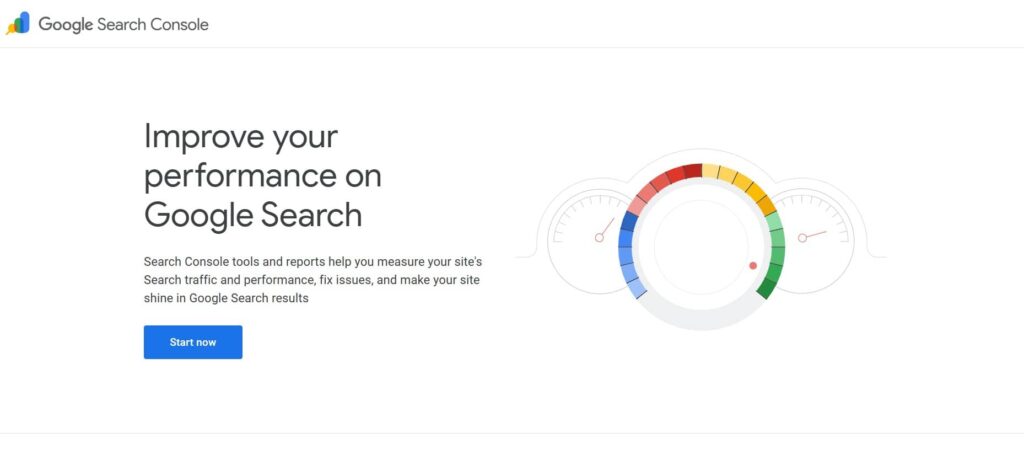
Google Search Console isn’t just another tool. It’s the direct line to understanding how Google sees and ranks your site.
What it’s best for: Website performance tracking, indexing status, search appearance, and identifying technical issues that prevent Google from properly crawling and ranking your content.
Key Features and How They Actually Help
Search Console shows exactly which queries bring traffic to your site, how often your pages appear in search results (impressions), how many people click through (clicks), and your average position for each query. This data reveals what’s working and where opportunities exist.
The performance report breaks down traffic by query, page, country, device, search appearance, and date range. You can see that a specific page ranks position 8 for a valuable keyword, getting impressions, but few clicks because it’s buried on page one. That insight tells you exactly where optimization effort will pay off.
Coverage reports identify indexing issues preventing pages from appearing in search results. Pages blocked by robots.txt, marked noindex, or suffering technical errors show up here with explanations. You can’t rank for pages Google can’t index, making this monitoring critical.
URL inspection lets you check how Google sees specific pages, request indexing for new or updated content, and identify rendering or crawling problems affecting individual URLs.
Sitemap submission through Search Console tells Google about your site structure and important pages. You can monitor how many submitted URLs Google has indexed versus how many you’ve told it about.
Backlink data shows which external sites link to you and which of your pages receive the most links. While not as comprehensive as dedicated backlink tools, it provides Google’s perspective on your link profile.
Mobile usability reports flag pages that don’t work properly on mobile devices critical since Google uses mobile-first indexing, where the mobile version of your site determines rankings even for desktop searches.
Why It’s Actually Worth Using
Search Console is free, directly from Google, and provides data that no third-party tool can fully replicate. You’re seeing exactly how Google interacts with your site rather than estimates or projections.
The indexing insights alone justify using Search Console. Discovering that half your blog posts aren’t indexed because of a robots.txt misconfiguration or canonical tag error saves you from wasting months creating content Google never shows to searchers.
Performance data shows real search behavior, not keyword tool estimates. You discover queries you rank for that you never targeted, revealing content opportunities. You find pages that rank well but get low click-through rates, indicating title and meta description optimization opportunities.
Limitations to Understand
Data is limited to Google search, excluding Bing, DuckDuckGo, and other search engines. For most sites, Google dominates traffic, but you’re not seeing the complete picture.
Historical data only goes back 16 months. Long-term trend analysis requires exporting data regularly to maintain historical records.
Query data is sampled and anonymized. Very low-volume queries get grouped into “(other)” rather than showing individually. You won’t see every single search query, particularly obscure long-tail searches with minimal volume.
The interface can be clunky for bulk analysis. Exporting data for deeper analysis in spreadsheets often works better than trying to extract insights from Search Console’s native reports.
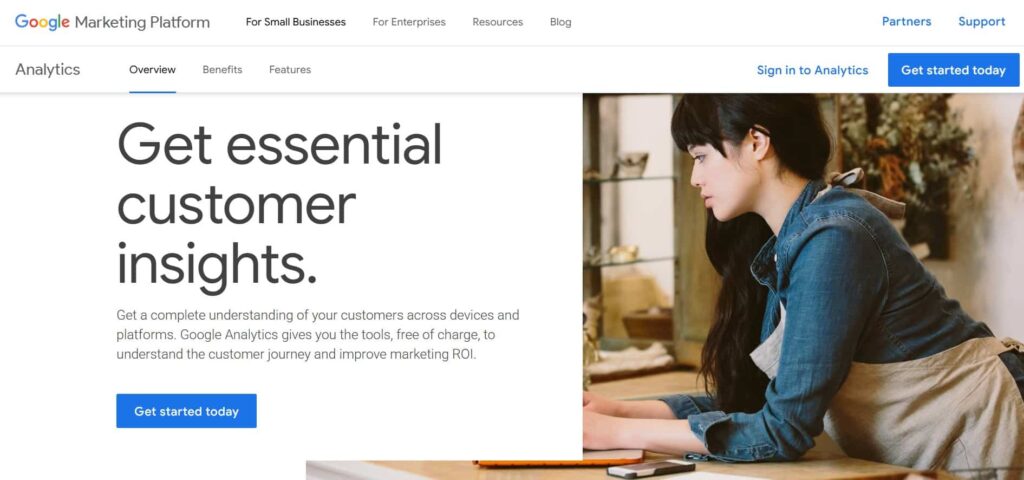
2. Google Analytics – Understanding Your SEO Traffic
Google Analytics goes beyond SEO to comprehensive website analytics, but the SEO insights it provides are invaluable for organic growth.
What it’s best for: Understanding who visits your site, how they behave, which content performs, and how organic search traffic compares to other channels.
Key Features and How They Actually Help
Traffic source reporting shows what percentage of visitors come from organic search versus direct, referral, social, or paid channels. You can track whether SEO efforts are actually increasing organic traffic over time or whether other channels are driving growth.
Landing page analysis reveals which pages attract organic traffic and how that traffic behaves, including bounce rate, time on page, pages per session, and conversions. A page ranking well but with 90% bounce rate signals that the content doesn’t match search intent despite keyword relevance.
Audience demographics and interests show who your organic traffic actually is age, gender, location, interests, device usage. This data validates whether you’re reaching intended audiences or attracting the wrong visitors despite decent traffic numbers.
Behavior flow visualization shows how visitors navigate your site after arriving from search. Do they immediately bounce? Browse multiple pages? Follow intended conversion paths? Understanding navigation patterns reveals whether your internal linking and content structure support organic traffic.
Goal and conversion tracking connects organic traffic to business outcomes. You can see which organic keywords and landing pages drive newsletter signups, purchases, demo requests, or whatever conversions matter for your business.
Site speed insights within Analytics show how page load times affect bounce rates and engagement. Slow pages drive away organic traffic you worked hard to attract.
Why It’s Actually Worth Using
The free version of Google Analytics provides more data than most sites can fully utilize. Unless you’re a massive enterprise, you won’t hit the limitations that require upgrading to Analytics 360.
Connecting Search Console with Analytics brings organic search data into the broader traffic context. You see not just what keywords rank but how that traffic compares to other sources and whether it actually drives business value.
Understanding user behavior beyond just rankings and traffic prevents optimizing for vanity metrics. You might rank well and get traffic, but Analytics reveals whether that traffic engages, converts, and contributes to business goals.
The platform integrates with Google Ads, Search Console, and other Google products, creating a unified view of digital marketing performance rather than fragmented data across disconnected tools.
Limitations to Understand
The transition from Universal Analytics to GA4 created a learning curve. GA4 works differently than the older version, and many users still struggle with the new interface and event-based data model.
Privacy regulations and cookie restrictions increasingly limit tracking accuracy. Users opting out of tracking, ad blockers, and browser privacy features create data gaps. Your Analytics data represents a sample, not complete visitor behavior.
The platform is powerful but complex. Extracting useful insights requires understanding how to configure views, set up goals, create segments, and build meaningful reports. The learning investment is substantial for people without analytics backgrounds.
Data sampling affects large sites. When analyzing millions of pageviews, Analytics may sample data rather than processing every event, reducing precision for detailed analysis.
3. Ahrefs Webmaster Tools – Backlink Intelligent Assistant
Ahrefs Webmaster Tools is the free version of Ahrefs’ premium platform, providing substantial backlink analysis and site audit capabilities without subscription costs.
What it’s best for: Analyzing your website’s backlink profile, discovering linking opportunities, performing technical audits, and checking organic keywords you rank for.

Key Features and How They Actually Help
Site Explorer for your own domain shows comprehensive backlink data, including how many sites link to you, which pages receive the most links, anchor text distribution, and referring domain quality. This intelligence reveals your link-building progress and identifies your strongest linked-to content.
The site audit tool crawls your website, identifying technical SEO issues, broken links, duplicate content, missing meta tags, slow pages, redirect chains, and dozens of other problems affecting search performance. Each issue includes a severity rating and fix recommendations.
Organic keyword tracking shows which keywords your site ranks for in Google, along with position, search volume, and traffic estimates. You discover ranking opportunities you didn’t know existed and track ranking changes over time.
Competitor comparison lets you analyze how your backlink profile stacks up against competitors. Understanding their link sources helps identify link building targets and strategies.
Disavow file generation helps create files to submit to Google when you need to disassociate from low-quality or spammy backlinks that might harm your site.
Why It’s Actually Worth Using
Ahrefs’ backlink database is one of the largest and most frequently updated in the industry. Even the free Webmaster Tools version accesses this database for your verified sites, providing data quality that rivals premium tools.
The site audit is genuinely comprehensive, checking hundreds of potential issues rather than surface-level scans. You get actionable, prioritized lists of what to fix rather than vague “improve your SEO” advice.
Unlike many freemium tools that severely limit functionality to push upgrades, Ahrefs Webmaster Tools provides substantial value indefinitely without aggressive upsell pressure.
The combination of backlink analysis and technical auditing in one tool reduces the need for multiple separate tools covering different SEO types.
Limitations to Understand
You can only analyze sites you own and verify. You can’t research competitors’ backlink profiles or keywords without upgrading to paid Ahrefs subscriptions.
Keyword tracking is limited to keywords your site currently ranks for. You can’t research keyword opportunities or check search volume for terms you don’t rank for yet without paid access.
Historical data is limited in the free version. You see current state but lack the extensive historical tracking paid users receive.
The free version doesn’t include content explorer, rank tracking, or many advanced features that make paid Ahrefs so powerful for professional SEOs.
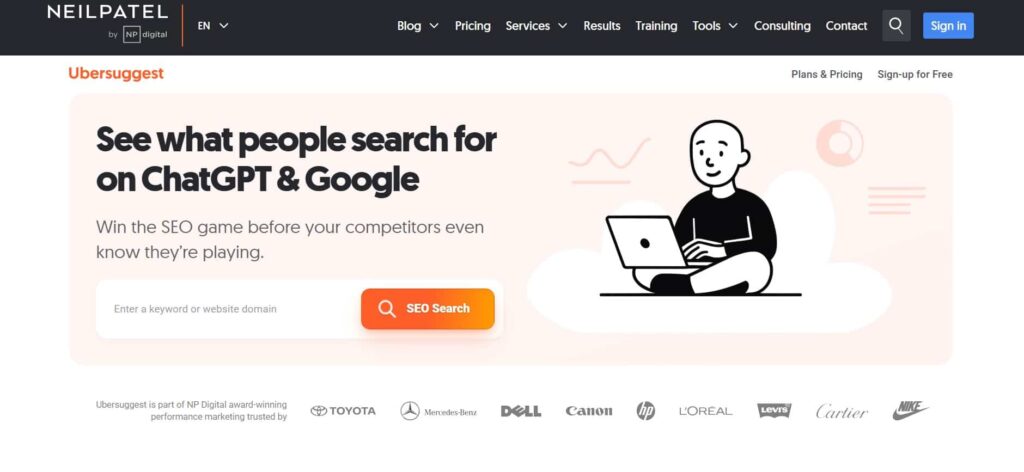
4. Ubersuggest – Neil Patel’s Freemium SEO Solution
Ubersuggest provides keyword research, content ideas, site audits, and competitor analysis in one accessible package.
What it’s best for: Keyword research for content planning, discovering content gaps, and getting competitive intelligence without paying for premium alternatives like Ahrefs or SEMrush.
Key Features and How They Actually Help
Keyword research shows search volume, SEO difficulty, paid difficulty, and cost-per-click data for any keyword. You can evaluate whether keywords are worth targeting before investing time in creating content.
Content ideas based on popular content for target keywords show what’s already ranking and getting engagement. This competitive intelligence informs content creation that improves on existing top-ranking content.
Site audit functionality scans your website for technical SEO issues, providing prioritized lists of problems to fix. While not as deep as dedicated audit tools, it catches major issues affecting performance.
Backlink analysis shows who links to your site and competitors, helping identify link-building opportunities and understand competitive link profiles.
Rank tracking monitors how your keywords perform over time, alerting you to ranking changes that might indicate problems or opportunities.
Why It’s Actually Worth Using
The free tier provides genuine utility rather than just teasing premium features. You get actual keyword data, real content suggestions, and functional site audits without paying.
The interface is beginner-friendly compared to more complex professional tools. People new to SEO can extract value without extensive training or experience with SEO platforms.
Neil Patel’s brand backing and content quality surrounding the tool provide educational value. The tool comes with explanations, tutorials, and context that help users understand SEO beyond just using software features.
Integration across keyword research, content planning, and technical auditing reduces tool sprawl. You can plan and execute content strategies within one platform rather than jumping between disconnected tools.
Limitations to Understand
Free usage is limited by daily search quotas. Heavy users quickly hit limits requiring either waiting until the next day or upgrading to paid plans.
Data accuracy sometimes trails premium tools. Keyword volumes and difficulty scores may not match Ahrefs or SEMrush exactly, creating discrepancies when cross-referencing between tools.
The tool leans heavily toward encouraging upgrades. While free features provide value, constant prompts to upgrade for full access can feel pushy.
Competitor analysis features are quite limited in the free version, restricting strategic competitive research without paid access.
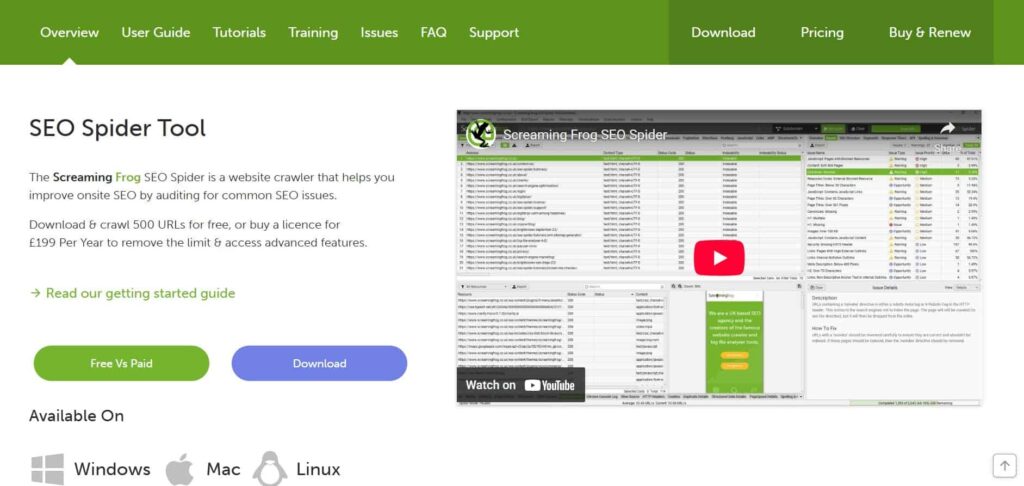
5. Screaming Frog SEO Spider – A Technical Audit Tool
Screaming Frog is a downloadable desktop application that crawls websites, identifying technical SEO issues with remarkable depth.
What it’s best for: Comprehensive technical SEO audits, finding broken links, analyzing site structure, checking redirects, and identifying duplicate content across your site.
Key Features and How They Actually Help
The crawler systematically visits every URL on your site just like search engine bots do, revealing exactly what search engines encounter when crawling your content. You see the same errors, redirects, and issues that might prevent proper indexing.
Broken link detection finds every 404 error, broken external link, and redirect chain on your site. Each broken link is an opportunity to fix navigation problems, recover lost link equity, or identify content that needs updating.
Duplicate content identification shows pages with identical or very similar titles, descriptions, headings, or body content. This duplication confuses search engines about which version to rank, and wastes crawl budget.
Meta tag analysis checks title tags and meta descriptions across your entire site, flagging missing, duplicate, too-long, or too-short tags that hurt click-through rates from search results.
Heading hierarchy review ensures proper H1, H2, H3 structure supporting both user experience and search engine understanding of content organization.
XML sitemap generation creates proper sitemaps you can submit to search engines, ensuring all important pages are discoverable.
Why It’s Actually Worth Using
The free version crawls up to 500 URLs, sufficient for many small to medium websites. You get professional-grade auditing capabilities without enterprise pricing.
The desktop application is incredibly fast compared to online crawlers. It processes sites much more quickly than web-based alternatives, saving time during audits.
The level of detail exceeds what many online tools provide. You get granular data about every element of every page, enabling deep technical optimization impossible with surface-level scans.
Regular use during site maintenance catches problems before they significantly impact rankings. Running audits after major updates or redesigns prevents technical issues from causing ranking drops.
Limitations to Understand
The 500 URL limit of the free version excludes large sites. If your site exceeds 500 pages, you’ll need the paid license to audit completely.
The interface is utilitarian rather than user-friendly. People without technical SEO experience may struggle interpreting the massive amounts of data the tool provides.
It’s a desktop application requiring download and installation rather than convenient web access from anywhere. You need to run it from a specific computer rather than accessing cloud-based tools.
Learning curve is significant. Understanding which data matters and how to act on findings requires SEO knowledge beyond just knowing how to click the crawl button.
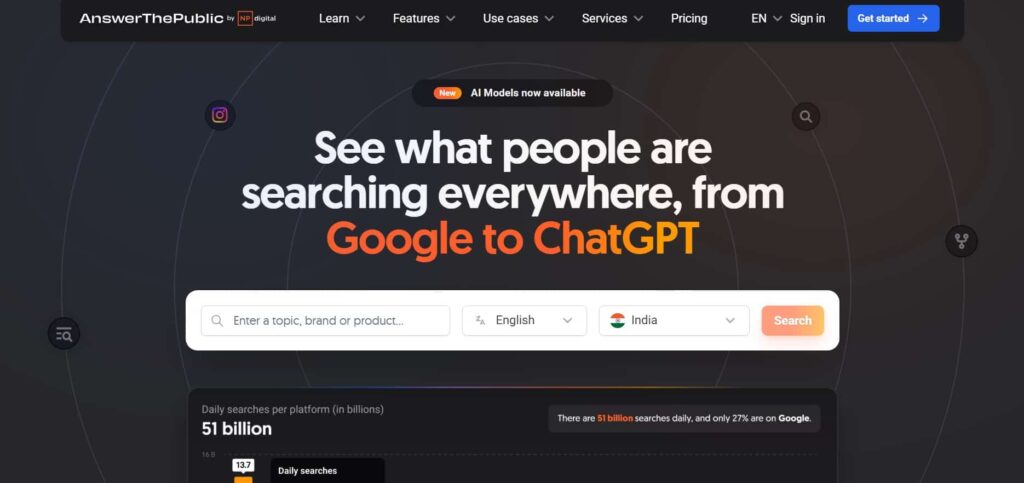
6. AnswerThePublic – SEO Content Ideas From Real Searches
AnswerThePublic visualizes questions and phrases people actually search for around any topic, creating content ideation goldmines.
What it’s best for: Generating blog post ideas, understanding what questions your audience asks, and identifying content gaps you can fill better than competitors.
Key Features and How They Actually Help
Question visualization shows every question-based search query around your keyword, such as what, why, how, when, where, who, and which are questions people search for.
Preposition-based queries reveal how people search for your topic in different contexts, comparisons, locations, relationships, and specific variations you might not have considered.
Comparison searches show what people compare your topic against, revealing competitive landscape and related topics worth covering.
Alphabetical listing provides comprehensive coverage of every search variation starting with each letter, ensuring you don’t miss important long-tail opportunities.
The visual presentation as wheels and trees makes patterns obvious that would be harder to spot in simple lists, helping identify clusters of related questions worth comprehensive coverage.
Why It’s Actually Worth Using
The free version provides substantial query data without requiring accounts or subscriptions for basic usage. You can generate ideas immediately without friction.
Seeing actual search queries people use reveals language and phrasing that resonates with your audience better than guessing at keywords. You write content using terms people actually search for rather than industry jargon that sounds professional but doesn’t match search behavior.
Content planning becomes data-driven rather than assumption-based. Instead of guessing what topics might interest your audience, you see what they’re actively searching for.
The tool helps create comprehensive content addressing multiple related questions in single posts, improving chances of ranking for multiple long-tail queries through thorough coverage.
Limitations to Understand
Free usage is limited to a few searches per day. Heavy users exhaust free searches quickly and face paywalls or waiting periods.
The tool shows what people search but not search volume or competitiveness. You see questions exist but need other tools to evaluate whether they’re worth targeting.
Data comes from Google autocomplete and related searches, which may not capture absolutely every possible query variation, particularly very new or rapidly emerging topics.
The visual presentation, while interesting, can be less practical than simple sortable lists when you just want exportable data for content planning.
7. SEMrush Free Tool with Premium Features
SEMrush’s free plan provides limited access to their comprehensive SEO platform, offering valuable insights without monthly subscription costs.
What it’s best for: Quick competitor analysis, checking domain metrics, researching keywords, and getting overview insights before committing to paid tools.
Key Features and How They Actually Help
Domain overview shows organic search traffic estimates, paid search traffic, backlink counts, and authority scores for any domain you search. This snapshot reveals competitive landscape at a glance.
Keyword research provides limited searches per day showing search volume, keyword difficulty, competitive density, and related keywords. While restricted compared to paid plans, it’s enough for basic research and validation.
Position tracking lets you monitor limited keywords, tracking how your rankings change over time and alerting you to significant movements.
Site audit functionality scans your website for technical issues, providing health scores and prioritized fix recommendations similar to paid tools but with crawl limits.
Backlink analytics show linking domains and top linked-to pages, helping understand your link profile without full paid access.
Why It’s Actually Worth Using
Even limited SEMrush access provides premium-quality data. The algorithms and databases powering free features match what paid users access, just with usage restrictions.
The free plan lets you test whether SEMrush fits your workflow before committing to paid subscriptions. You can evaluate whether the interface, data, and features justify costs for your specific needs.
Competitor research capabilities exceed many fully free tools. Quick competitive intelligence gathering for strategic planning works within free tier limits.
Integration with Google products and comprehensive platform approach means serious SEO practitioners will likely upgrade eventually, making the free tier a valuable introduction to professional-grade SEO software.
Limitations to Understand
Usage limits are quite restrictive. Ten requests per day, limited keyword tracking, and restricted reports make this a supplement to other free tools rather than a comprehensive solution.
The free tier clearly exists to drive upgrades. Almost every useful feature includes prompts about how much better it would be with paid access, which can feel pushy.
Historical data and advanced features require paid plans. The free version provides current snapshots but lacks the trending and historical analysis that makes SEMrush truly powerful.
For ongoing, comprehensive SEO work, the free tier becomes frustrating quickly as you hit limits. It works for occasional research, not daily professional use.
8. Moz Link Explorer Free Version for SEO Insights
Moz’s free Link Explorer provides backlink analysis and domain authority metrics that have become industry standards.
What it’s best for: Checking domain authority and page authority scores, analyzing backlink profiles, and understanding link quality for your site and competitors.
Key Features and How They Actually Help
Domain Authority (DA) and Page Authority (PA) scores provide quick snapshots of link profile strength. While not direct ranking factors, these metrics correlate with ranking potential and help evaluate link quality.
Linking domain discovery shows which sites link to you and competitors, helping identify valuable link sources and understand competitive link profiles.
Top pages analysis reveals which pages on domains receive the most link equity, showing you what content types and topics attract links worth emulating.
Spam score helps evaluate whether linking domains might be low-quality or potentially harmful to your link profile, informing disavow decisions.
Anchor text analysis shows how sites link to you, revealing whether anchor text is natural and diverse or potentially over-optimized in ways that might trigger algorithmic filters.
Why It’s Actually Worth Using
Domain Authority has become an industry-standard metric that clients, stakeholders, and partners understand. Having access to DA scoring provides common language for discussing site authority even though Google doesn’t use this specific metric.
Moz’s link index, while not the largest, provides good coverage and quality filtering. The data helps inform link building strategy and competitive analysis.
The free version provides enough functionality for basic link audits and competitive research without requiring paid subscriptions for occasional use.
Integration with other Moz tools and educational resources provides context and learning opportunities beyond just using the tool itself.
Limitations to Understand
The free version severely limits query volume. You get a handful of queries per month, restricting comprehensive analysis or ongoing monitoring without paid access.
Link index size is smaller than Ahrefs or Majestic, potentially missing some backlinks, particularly to newer or less popular sites. Cross-referencing with other tools reveals links Moz doesn’t detect.
Updates to link data occur less frequently in the free version. You might see outdated information that doesn’t reflect recent link changes.
Advanced features like link intersect, spam score analysis, and historical index require paid subscriptions, making the free version quite limited for professional link building work.
9. Yoast SEO – WordPress Optimization Tool
Yoast SEO is a WordPress plugin providing on-page optimization guidance directly within the content creation workflow.
What it’s best for: Optimizing individual WordPress posts and pages for target keywords, improving readability, managing technical SEO elements, and maintaining consistent optimization across your content.
Key Features and How They Actually Help
Keyword optimization analysis evaluates how well content targets focus keywords, checking title tags, meta descriptions, headings, body content, image alt text, and URL structure. Real-time feedback guides optimization during content creation rather than requiring separate audits after publishing.
Readability analysis checks sentence length, paragraph length, subheading distribution, passive voice usage, and other factors affecting how easily people can read and understand your content. Better readability often correlates with better engagement and rankings.
Meta tag management provides clean interfaces for writing title tags and meta descriptions with character count feedback, ensuring your search result snippets display properly without truncation.
XML sitemap generation automatically creates and updates sitemaps as you publish content, ensuring search engines discover new pages quickly.
Breadcrumb implementation improves internal linking and site structure, helping both users and search engines understand page hierarchy and relationships.
Schema markup for basic structured data helps search engines understand content types and can enable rich results in search.
Why It’s Actually Worth Using
For WordPress users, Yoast integrates seamlessly into the native editing experience. You optimize while writing rather than switching between separate tools.
The real-time feedback catches optimization opportunities before publishing. You can adjust content, titles, and meta descriptions based on Yoast’s analysis, preventing publication of poorly optimized content.
The free version provides substantial functionality for individual content optimization. Most users never need paid upgrades unless requiring advanced features like multiple keyword optimization or redirect management.
Educational tooltips and explanations help users understand why optimizations matter, teaching SEO principles rather than just providing checklist instructions.
Limitations to Understand
Yoast is WordPress-specific. Sites on other platforms can’t use this particular tool, though similar plugins exist for other content management systems.
The optimization recommendations can be overly rigid. Following every suggestion sometimes creates awkward, over-optimized content that reads poorly despite high Yoast scores. Human judgment should override plugin recommendations when they conflict with quality writing.
The free version limits some advanced features. Multiple focus keywords, redirect management, and advanced schema controls require paid upgrades.
Plugin conflicts can cause problems. WordPress sites with many plugins sometimes experience conflicts requiring troubleshooting or choosing between competing plugins.
10. The HOTH Free Website Audit Tool for SEO Checks
The HOTH’s free audit tool provides detailed analysis of technical SEO, on-page optimization, and performance issues affecting your site.
What it’s best for: Getting comprehensive SEO audits without specialized software, identifying priority fixes, and understanding overall site health from multiple SEO dimensions.

Key Features and How They Actually Help
Technical SEO analysis checks site speed, mobile friendliness, HTTPS implementation, XML sitemap validity, robots.txt configuration, and other technical factors affecting crawlability and ranking potential.
On-page SEO evaluation examines title tags, meta descriptions, heading structure, keyword usage, image optimization, and content quality across checked pages.
Backlink profile overview provides high-level insights into link quantity and quality, flagging potential issues with spam links or weak link profiles.
Competitive comparison shows how your site stacks up against competitors on key metrics, providing context for whether your SEO is strong relative to who you’re competing against.
Prioritized recommendations organize findings by importance of SEO improvements, helping you focus on high-impact fixes rather than getting overwhelmed by exhaustive issue lists.
Why It’s Actually Worth Using
The audit is genuinely comprehensive, checking dozens of factors across technical, on-page, and off-page SEO dimensions. You get professional-quality audits without paying for premium software.
Results are presented clearly with explanations accessible to non-experts. You don’t need deep technical knowledge to understand findings and recommendations.
The tool is completely free without hidden limitations or usage caps. You can audit sites repeatedly as you make fixes and improvements.
HOTH provides educational content explaining how to implement recommendations, making the audit actionable rather than just identifying problems without solution guidance.
Limitations to Understand
As a lead generation tool for HOTH’s paid SEO services, expect marketing pitches alongside audit results. The free audit exists partly to demonstrate value and encourage hiring their services.
The depth of analysis on any single dimension may not match specialized tools. The breadth of coverage is impressive, but specialized crawlers or backlink tools provide more granular data in their specific areas.
You can’t schedule recurring audits or track progress over time within the tool itself. Each audit is a standalone snapshot rather than integrated into ongoing monitoring.
The tool provides general recommendations that might not account for unique aspects of your specific situation, industry, or competitive landscape. Some findings require judgment about whether they apply to your particular context.
Choosing the Right Free SEO Tools for Your Business Website
You don’t need all ten SEO tools. In fact, using too many creates tool sprawl that wastes time without proportionally improving results.
Start with Google Search Console and Google Analytics as non-negotiable foundations. These provide direct insights from Google about how your site performs in search and how visitors behave.
Add Ahrefs Webmaster Tools or SEMrush free plan for competitive intelligence and backlink analysis depending on which interface and features better match your needs.
Choose Screaming Frog or The HOTH audit tool for technical audits based on whether you prefer desktop software with detailed control or web-based comprehensive snapshots.
Use AnswerThePublic or Ubersuggest for content ideation and keyword research based on whether you prefer question-based brainstorming or comprehensive keyword data.
WordPress users should install Yoast SEO for seamless on-page optimization during content creation.
The right combination provides comprehensive SEO capabilities, monitoring, auditing, researching, and optimizing without premium tool costs eating into marketing budgets, better spent on content creation or link building.
Invest time learning chosen tools deeply rather than superficially using many. Understanding how to extract maximum value from a few tools delivers better results than barely scratching the surface of a dozen disconnected solutions.
Final Thoughts
As your site grows and SEO matures, you might eventually need premium tools for advanced features, larger scale, or time-saving automation. But free tools provide everything necessary to drive meaningful organic growth for most small to medium sites when used consistently and strategically.
The businesses succeeding at SEO aren’t necessarily those with the most expensive tools. They’re those using available tools, free or paid, systematically to inform decisions, identify opportunities, fix problems, and continuously improve. Start there with these free tools before assuming premium subscriptions are required for success.

The Chief Author and Editor at Intothecommerce. As a seasoned expert in digital marketing, I direct the site’s strategic content and ensure every piece meets the highest industry standards. My insights drive our coverage on SEO, paid media, and cutting-edge marketing technology.